A map with a roof on it
ProA building with a roof is awkward on most virtual tabletops. Either you see the roof and not the room, or the room and not the roof, or you keep two scenes and swap between them when the party goes inside. Board layers solve it properly.
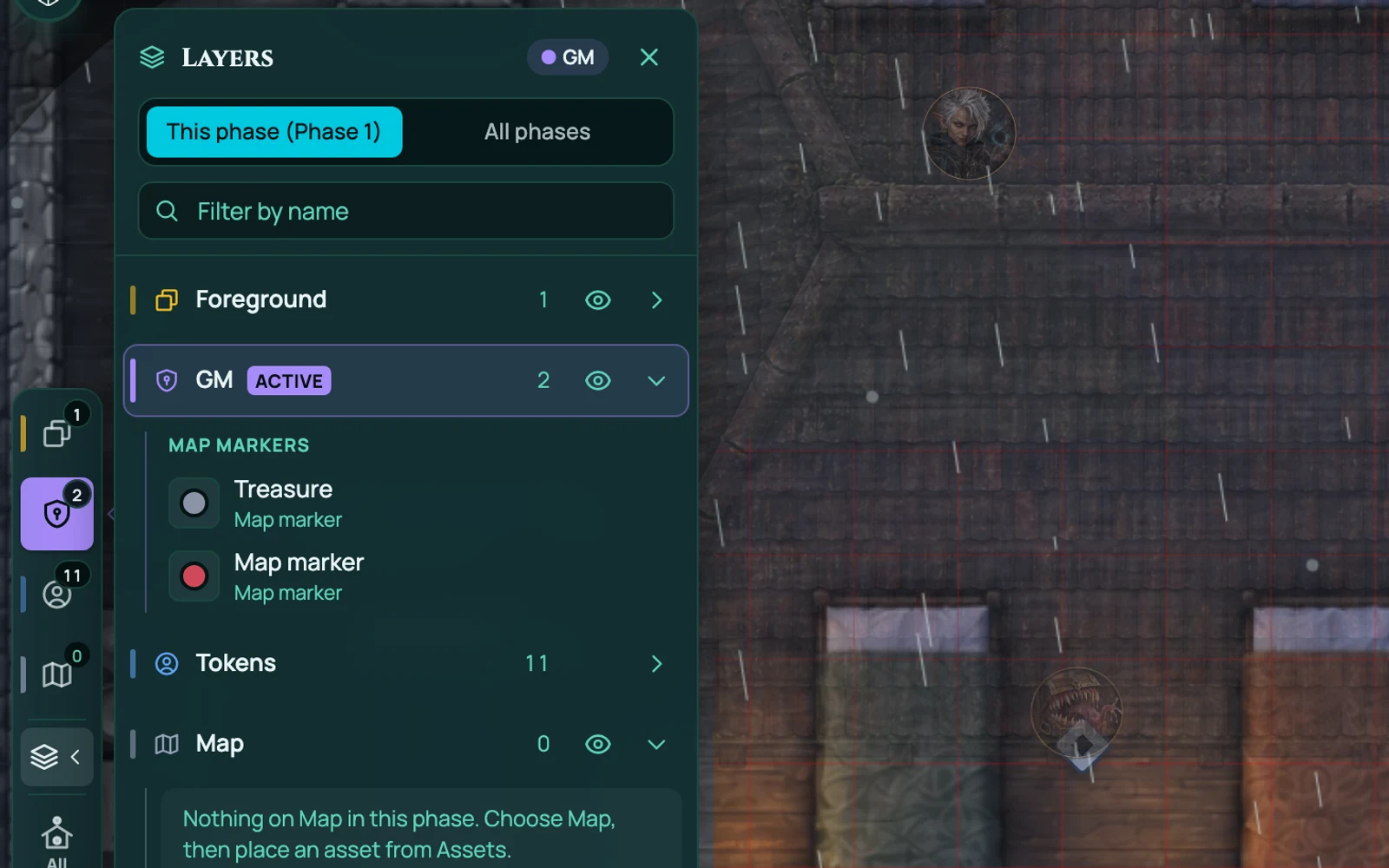
Three layers, each with a job
Map is the ground: the floor, the walls, the furniture. What you'd normally call the battle map.
Foreground is what sits above the action - roofs, overhangs, tree canopies, the upper floor of a tower. It draws over the top of tokens.
GM is yours. Anything you put here is invisible to players: the secret door you haven't revealed, the ambush markers, the note to yourself about what's in the chest.
The part that makes it work
Layers aren't just stacking order. A roof on the Foreground layer fades when a token walks underneath it, so the party goes inside and the building opens up without you touching anything. Walk back out and it closes over them again.
It works upward too. A token up on the rooftops sees over the walls below - its line of sight isn't blocked by the ground-floor geometry it's standing above. Fog and lighting both respect that, so an archer on a roof genuinely has the view an archer on a roof should have.
Elevation
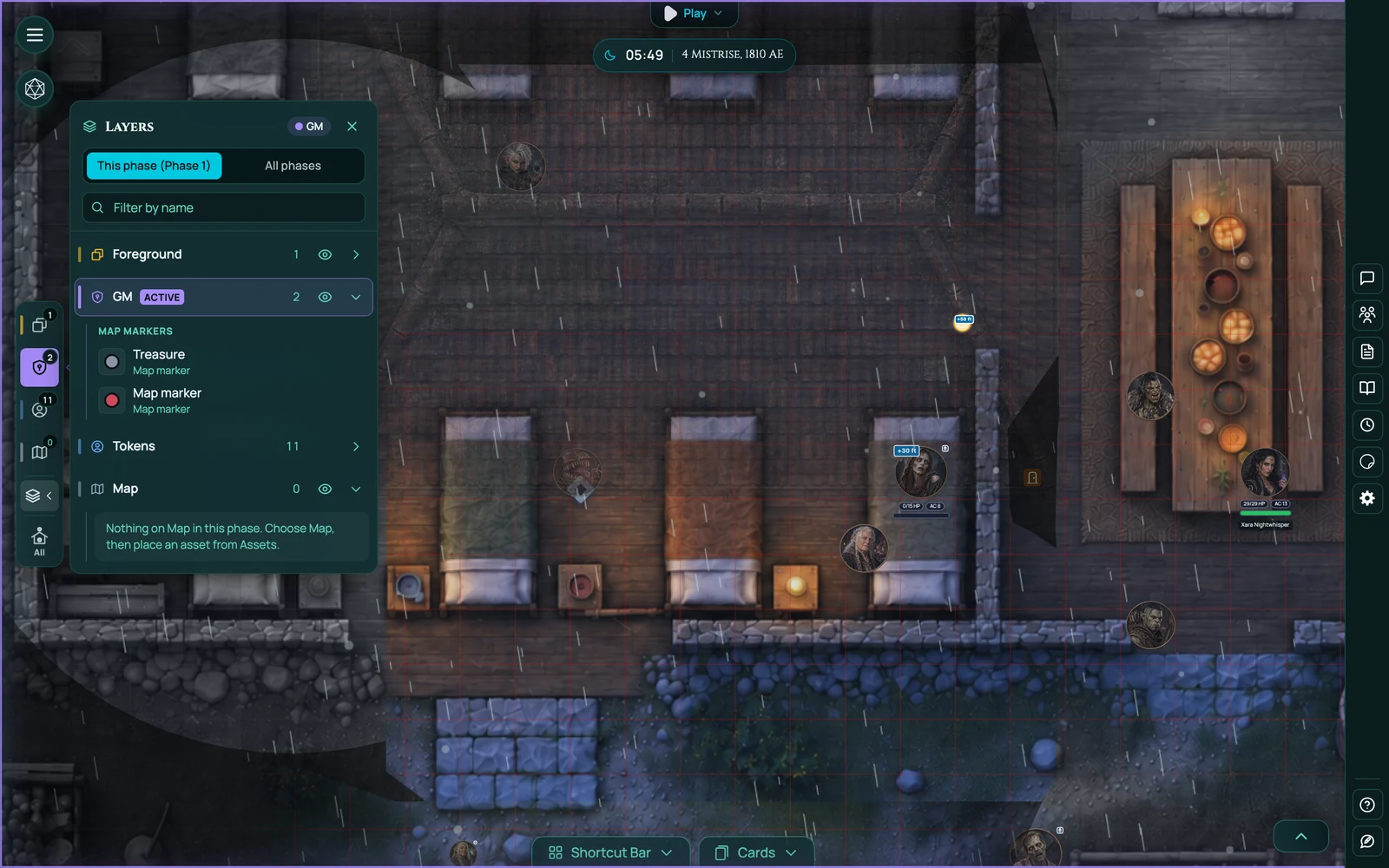
Related, and on every plan: tokens, placed assets and lights can each carry a height in feet. A flying creature, a pit, a lantern hung from a beam, a platform. It shows on the board, so "how far up is it" has an answer everyone can see rather than one the GM is holding in their head.
Map markers
Pin a private note to a place on the map. Choose an icon and a colour, write the note in Markdown, and open it with a click mid-session. Your players never see them.
This is the feature that replaces the GM's second monitor full of scrolling prep notes. The note about what the innkeeper knows sits on the inn.
Map markers are on Starter and Pro.
The GM Asset Drawer
Also Pro, and the natural companion to all of this: one library of images and creatures that follows you into every game, rather than a pile of uploads trapped in whichever campaign you added them to. Arrange it into pages and sections, then drag straight onto the board or add to a game in one click.
Works with
Map builder is where you build the scenes these layers organise.
Fog of war and dynamic lighting both understand layers, which is what makes the rooftop sightline work.
Frequently asked questions
Which plan has board layers?
Pro. Map markers are on Starter and Pro. Elevation is on every plan.
Do roofs fade automatically?
Yes, when a token moves underneath them. You don't toggle anything.
Can players see the GM layer?
No. That's the whole point of it.
Can I use layers on an uploaded map image?
Yes - the layers are a property of the scene, not of the map builder.
Does elevation change what a token can see?
A token on a higher layer sees over the geometry below it. Elevation in feet is shown on the board as a value.
Try it
Board layers and the GM Asset Drawer are on Pro; map markers are on Starter; elevation is free.