A battle map builder in the same place you play
ProThe usual workflow is: build the map in one program, export a PNG, import it into the VTT, then trace every wall again so the lighting works. RollQuest's Map Builder skips the last three steps. You build the map on the table, from map asset packs, and the walls you place are already walls.
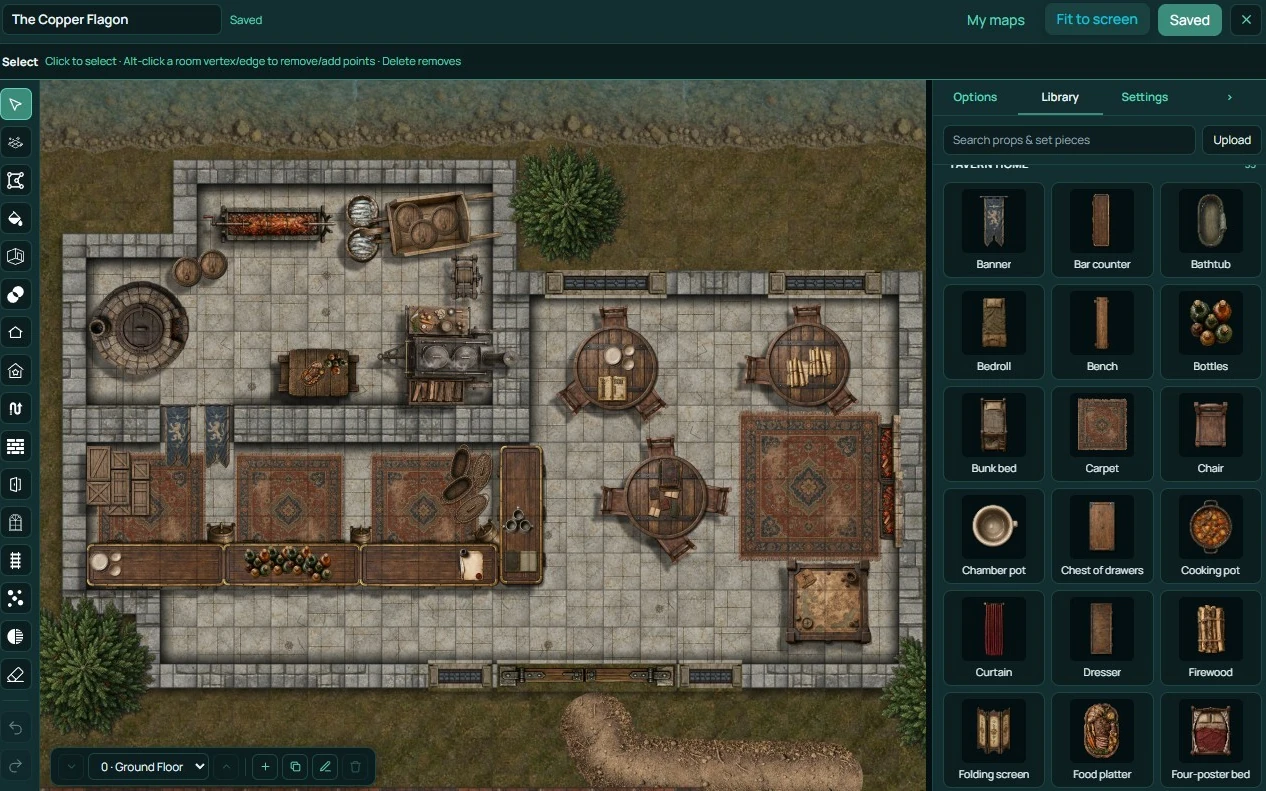
Build battle maps online, from asset packs
Open the Map Builder on an empty scene. Pick a map asset pack (tavern, dungeon, forest, whatever the scene needs) and start laying down floors. Snap to the grid. Add walls, then doors, then furniture and props. Everything is top-down and made to fit together, so a corridor lines up with the room it leads to.
When you're done, switch to play. Fog of war and lighting respect the walls without any further setup. Save the scene and use it again next campaign.
More asset packs are on the marketplace, from the RollQuest team and from creators.
Layers: bridges, roofs and floors
Board Layers let you put assets above and below the tokens. A bridge over a river: tokens walk under it or over it depending on which layer they're on. A roof that hides the room until the party goes inside. A second storey drawn over the first. It's the difference between a flat map and a place.
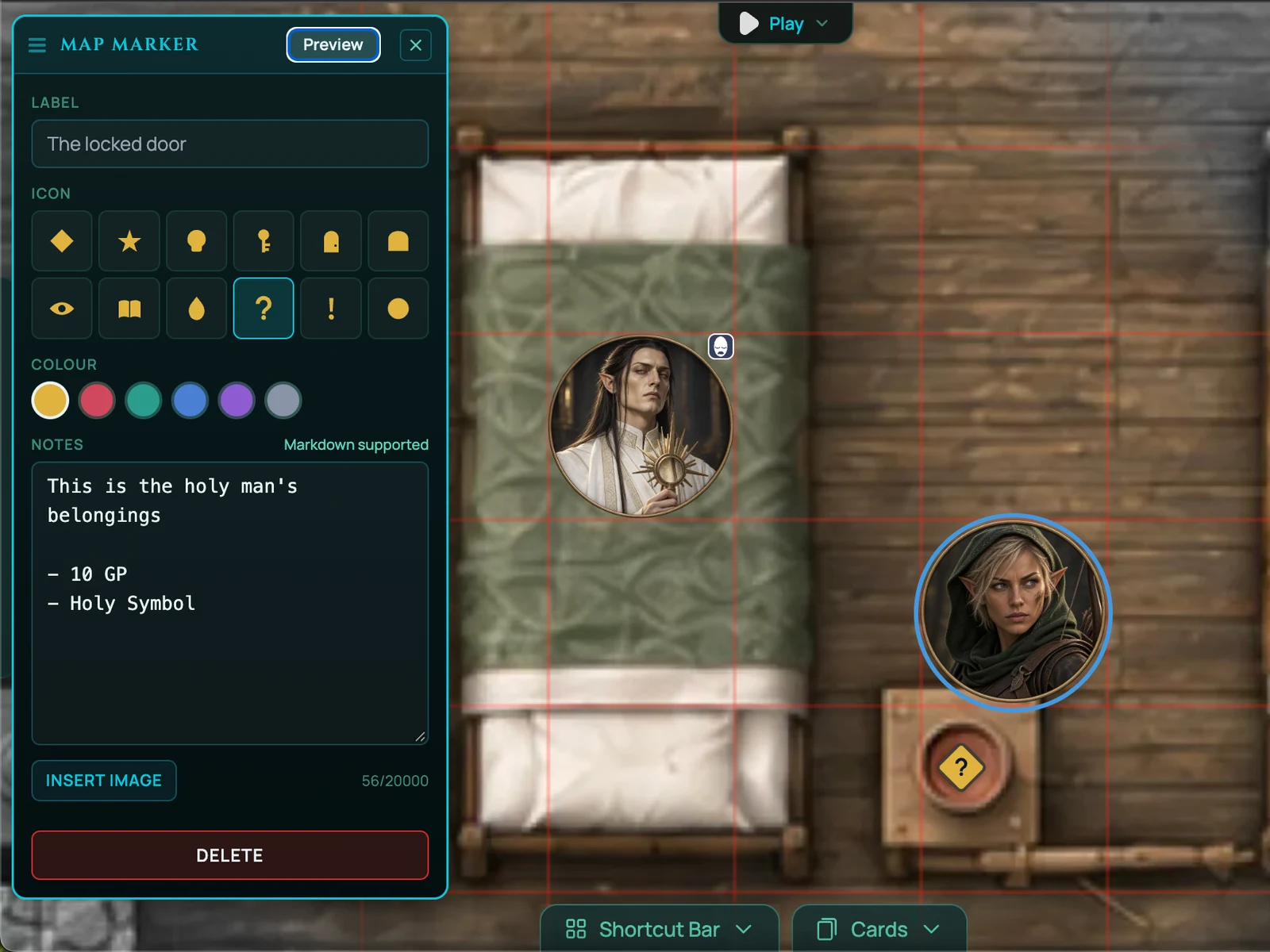
Markers: your notes, on the map
Map Markers are pins the GM drops anywhere on the scene. Each one holds a note: what's in the chest, who the statue is of, what happens if someone pulls the lever. Hidden from players by default. Reveal one and it appears on their screen, so the clue is pinned where they found it. Markers are on Starter and Pro.
Hex grids and the grid editor
Some games want hexes. Switch a scene to a hex grid and tokens snap to it. For uploaded map images, the Grid Editor lets you line the grid up with the artwork so a five-foot square is a five-foot square. Hex grids are on Starter and Pro; the grid editor is on every plan.
The GM Asset Drawer
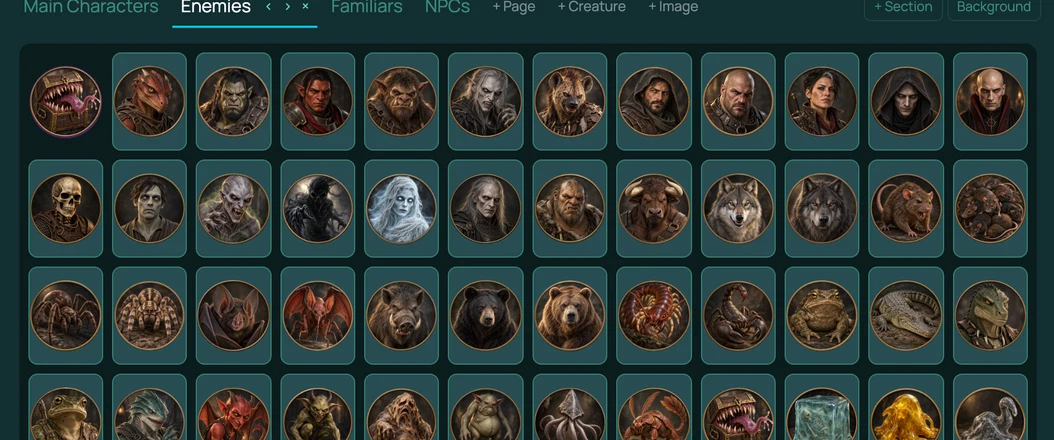
Every GM builds up a collection: the token they always use for guards, the treasure chest, the campfire. The GM Asset Drawer is that collection at account level. Anything you put in it is available in every game you run, without re-uploading. Pro.
Works with
Fog of war and dynamic lighting use the walls and doors you place, straight away.
Templates save your built maps as scenes, so a content pack can ship with its maps.
Campaign journal pages can be linked from a marker.
Frequently asked questions
Which plan has the map builder?
Pro. Board Layers and the GM Asset Drawer are also Pro. Map Markers and hex grids are on Starter and Pro. The grid editor for uploaded maps is on every plan.
Can I still upload maps from Dungeondraft or Inkarnate?
Yes, on every plan. Upload the image, use the grid editor to align it, and draw walls in Wall Mode.
Where do map asset packs come from?
The marketplace. Some are made by RollQuest, some by creators. Packs are top-down raster assets built to fit the grid.
Can I export a map I built?
Maps you build live in RollQuest as scenes and can be saved into templates and content packs. Image export is on the roadmap.
Do walls I place in the builder work with lighting?
Yes, immediately. That's the point.