Fog of war that clears itself
FreeYour players shouldn't see the dragon before they open the door. RollQuest's fog of war hides the map until tokens walk into it, and it understands walls, doors and vision, so the reveal happens where it should and nowhere else. It's free, on every plan.
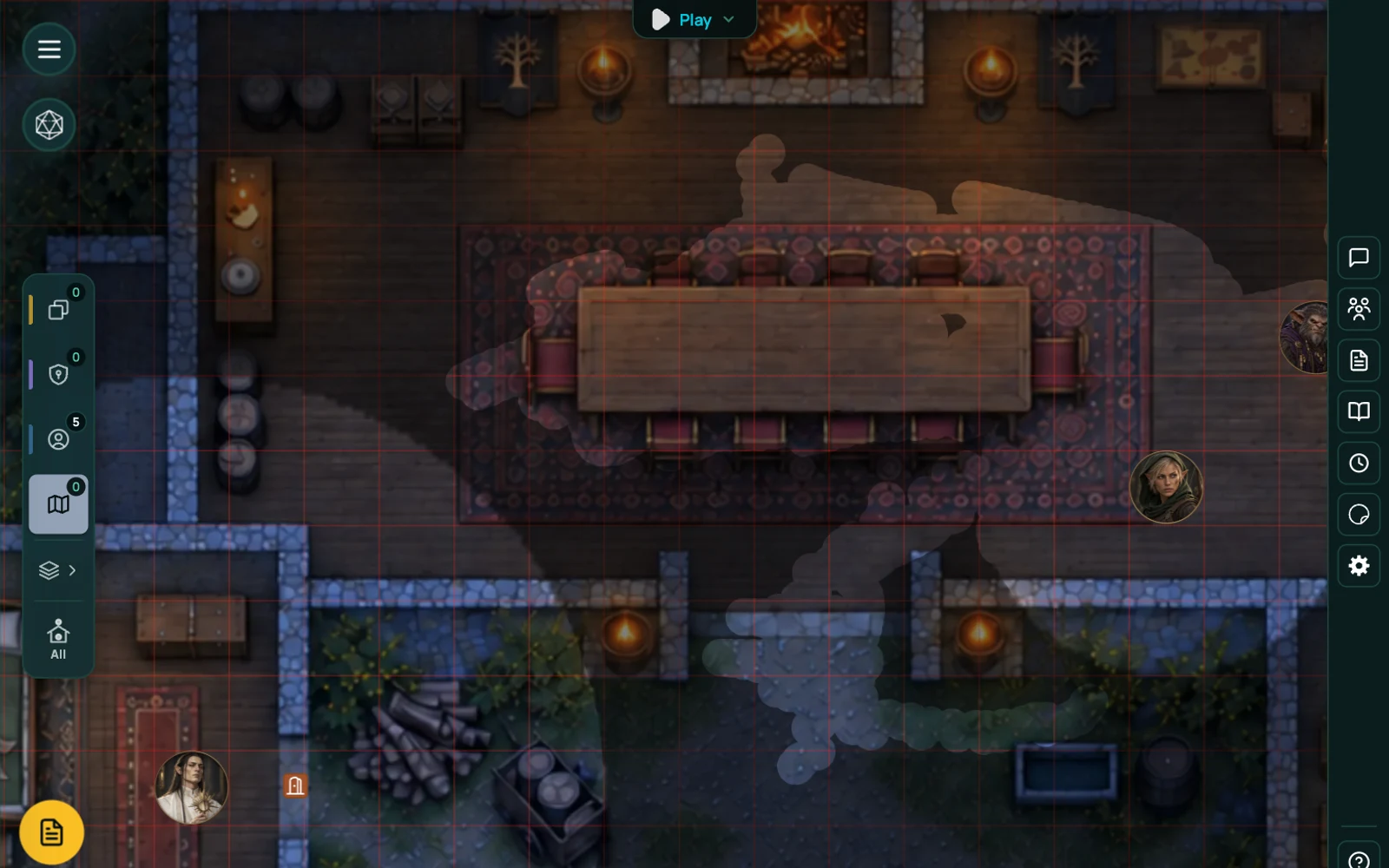
Dynamic fog of war for a virtual tabletop
There are two ways to run fog of war. The old way is a black layer over the map that you erase by hand as the party moves. It works, but you spend half the session with an eraser tool. The other way is dynamic: the VTT knows where the walls are, works out what each token can see, and clears the fog to match.
RollQuest does both. Dynamic is the default. The manual brush is there for the moments when you want to reveal a whole room for dramatic effect, or hide something again after the party leaves.
Vision follows the token. Move a rogue down a corridor and the fog peels back as she goes. The wizard at the back of the party sees a different slice of the map than the fighter at the front. What each player sees on their own screen is exactly what their character can see.
How it works in RollQuest
Walls go down first. If you built the map in the map builder, the walls and doors are already there. If you uploaded a map image, switch to Wall Mode and trace the walls with a few clicks, then drop doors where they belong. Doors can be opened and closed mid-session, and a closed door blocks vision.
Then play. Tokens reveal fog as they move. Nothing else to configure.
When you want to take over, switch to the brush. Paint fog away from a whole chamber, or paint it back over a corridor the party has abandoned. The player perspective view shows you exactly what any one player is seeing, which is handy when someone says "wait, can I see that?"
Square grids, hex grids and the Cell tool
Fog understands the grid it is sitting on. Turn the grid on and the fog tools can work a cell at a time instead of in free-hand shapes: pick Cell, then click or drag across the map and each cell you touch clears in full. No feathered edges, no half-lit squares, no eraser wobble.
This works the same on a hex grid. Switch a scene to flat-top or pointy-top hexes and the Cell tool clears hexes, not squares - which is what you want for a hex crawl or overland travel, where the unit of "we have been there" is the hex itself. Token vision quantises the same way, so a party moving across a hex map reveals whole hexes as they travel rather than a circle straddling four of them.
There is a coverage rule for the in-between cases: you decide how much of a cell a token's sight has to touch before the whole cell counts as seen. Set it loose for exploration, tight for a dungeon where the difference between seeing a corridor and seeing into it matters.
Hex grids are on Starter and Pro. The Cell fog tool and the coverage rule are on every plan, on whichever grid you are using.
Remembered ground stays visible
Once a token has seen a stretch of map, that stretch stays revealed (dimmed, but visible) even after the token moves on. Players keep a picture of where they've been. Enemies that have moved into remembered ground since the party left are hidden until seen again.
Works with
Dynamic lighting and fog of war share the same walls. A dark room with a torch in it reveals what the torch lights, no more.
Battle mode keeps fog running during combat, so an enemy around a corner is a surprise until someone steps around it.
Map builder maps come with their walls and doors already in place.
Frequently asked questions
Is fog of war free in RollQuest?
Yes. Fog of war, walls, doors and token vision are all on the Free plan with no limits on how many scenes use them.
Do I have to draw walls for fog of war to work?
Only if you're using an uploaded map image. Maps built in the map builder already have walls. Without walls, the manual brush still works and tokens reveal a simple radius around themselves.
Can players see different things?
Yes. Each player sees the map from their own tokens' point of view. The GM sees everything and can switch to any player's perspective to check what they see.
Does fog of war work with dynamic lighting?
Yes, they use the same wall data. In a dark scene, fog clears only where there is light and line of sight.
Does fog of war work on a hex grid?
Yes. On a hex scene the Cell tool clears whole hexes and token vision reveals whole hexes, which is what a hex crawl needs. Hex grids are on Starter and Pro; the fog tools themselves are free.
Can I re-hide part of the map?
Yes. Use the fog brush to paint fog back over any area.
Try it
Open a map in the free plan, draw four walls and a door, and walk a token through it. Takes about two minutes.