An initiative tracker that lives on the map
FreeCombat is where most VTT sessions slow down. Someone is reading a stat block, someone is scrolling for the initiative order, someone can't remember if the ogre is still poisoned. RollQuest's Battle Mode keeps all of that on the board where the fight is happening.
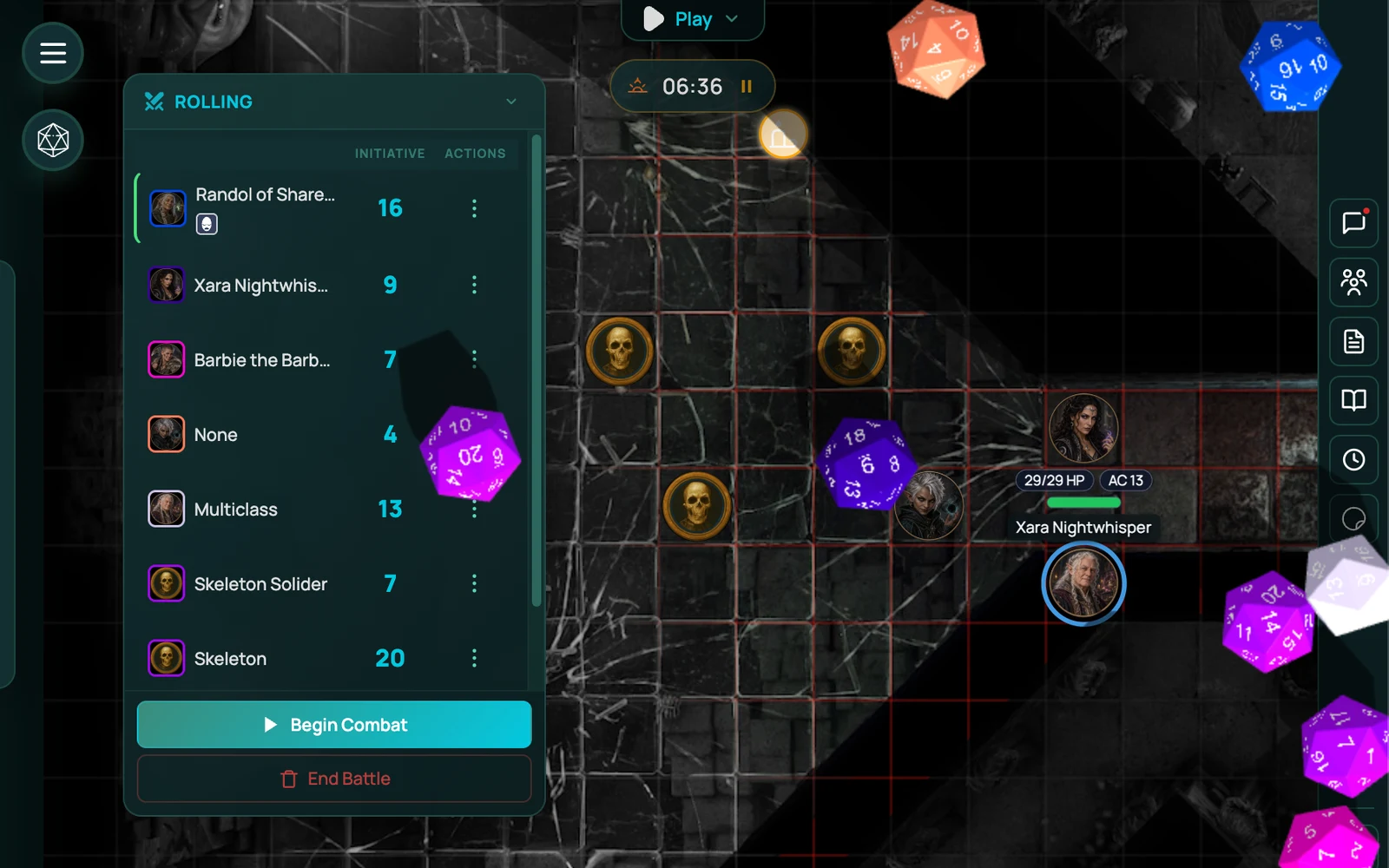
An online initiative tracker built into the VTT
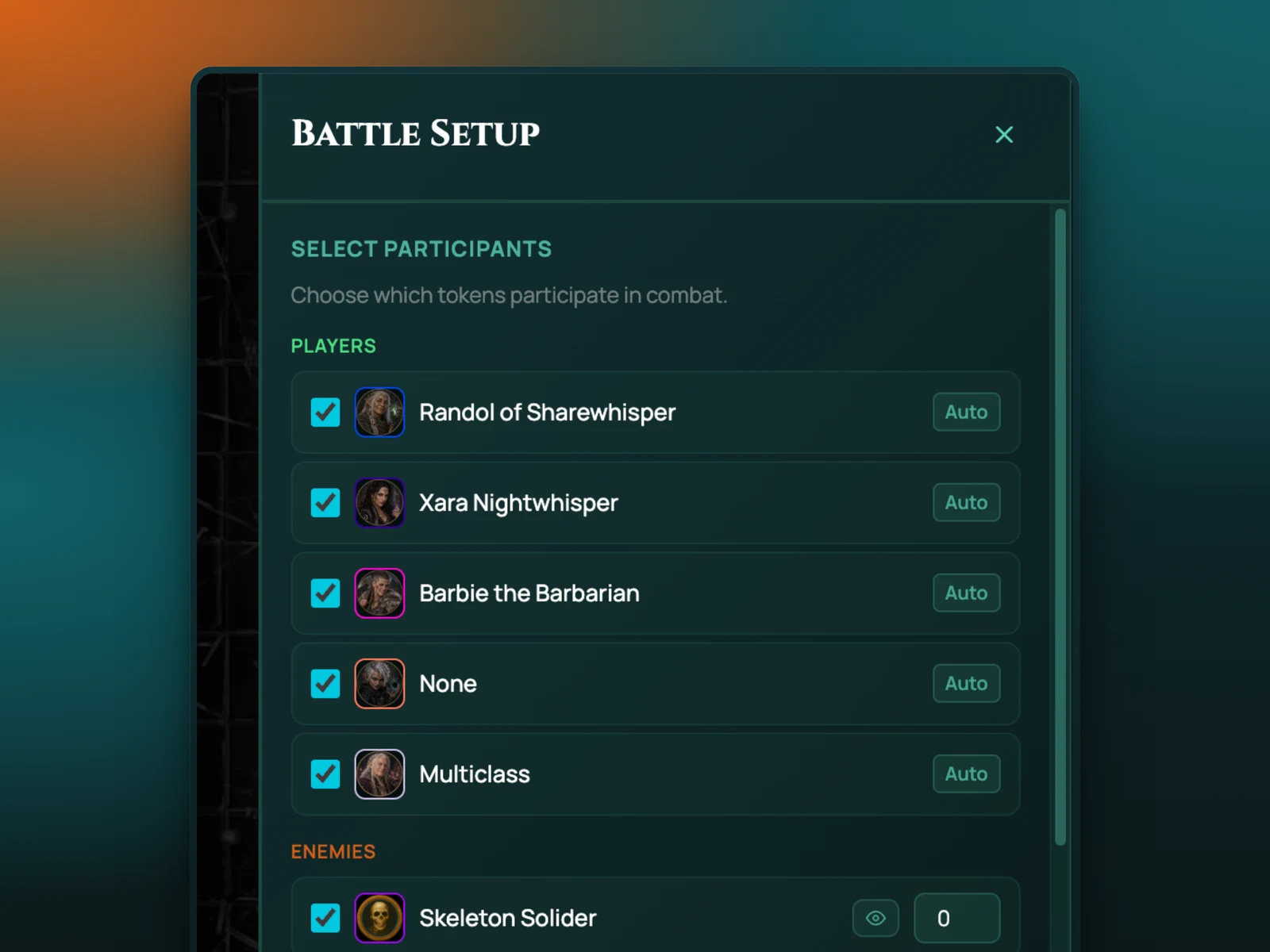
Press the Battle button and the scene switches to combat. Initiative rolls for every token in the fight, players and enemies, using the Dexterity on their sheets. The tracker sorts itself and the first turn starts. Nobody types a number.
Each turn, the active token is highlighted on the map. HP and AC come straight from the character sheet, so when the fighter takes 12 damage, you click the token and lower it there. The sheet updates. The player sees it. The GM decides whether players see enemy HP, a bar, or nothing.
How it works in RollQuest
Drag the enemies you need onto the map from the Enemies panel. Each one has a stat block, so you can read the attack and the save from the same place you're tracking its HP. Hit Battle. Roll for initiative, or let it roll. Then go round the table.
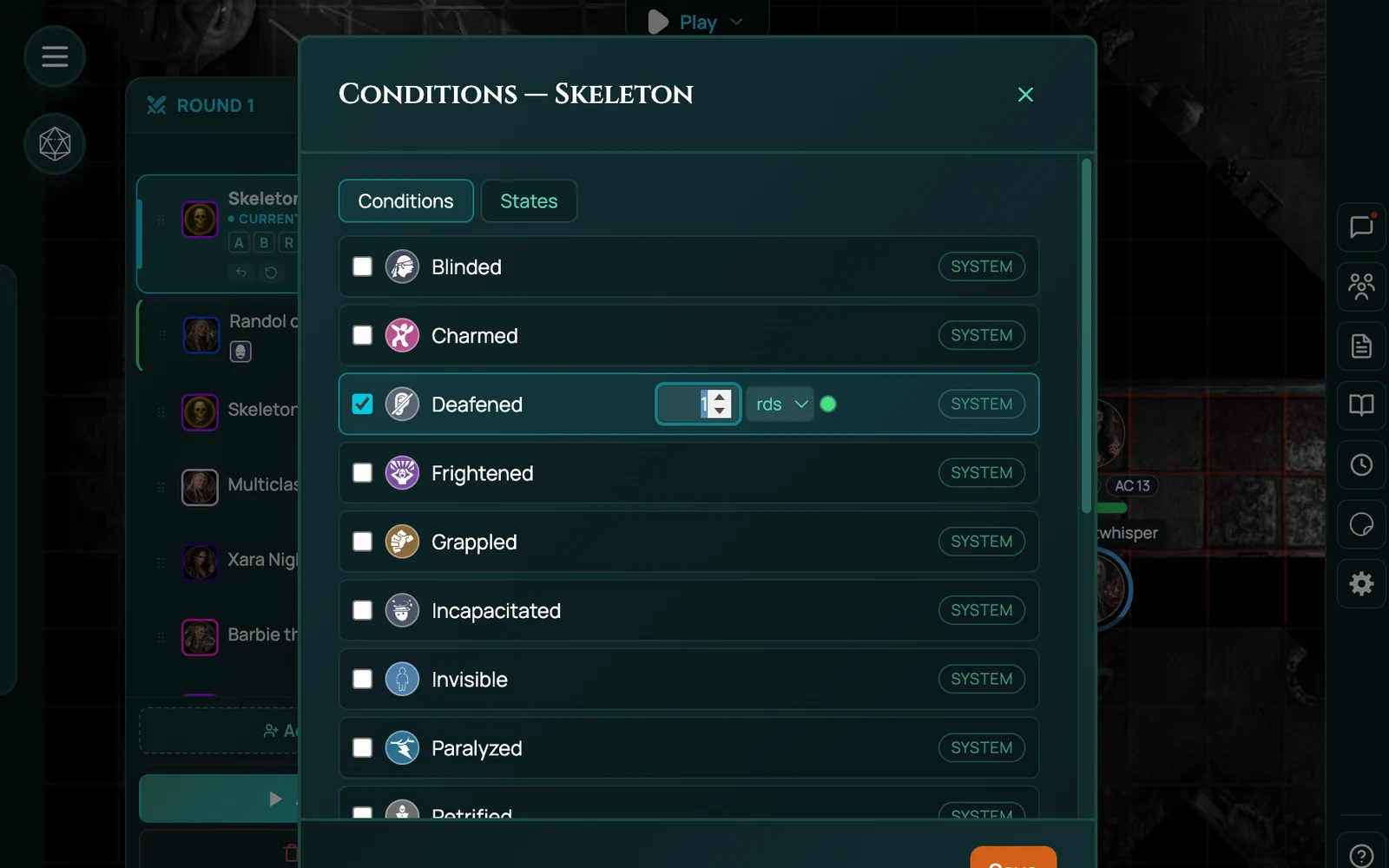
Conditions are icons on the token. Poisoned, prone, grappled, concentrating: pick from the list and it sits on the token until you remove it, visible to everyone who should see it. No separate tracker, no sticky notes.
When the last enemy drops, end Battle Mode and the scene goes back to exploring. The initiative order clears. The conditions you leave on tokens stay until you take them off.
Battle music
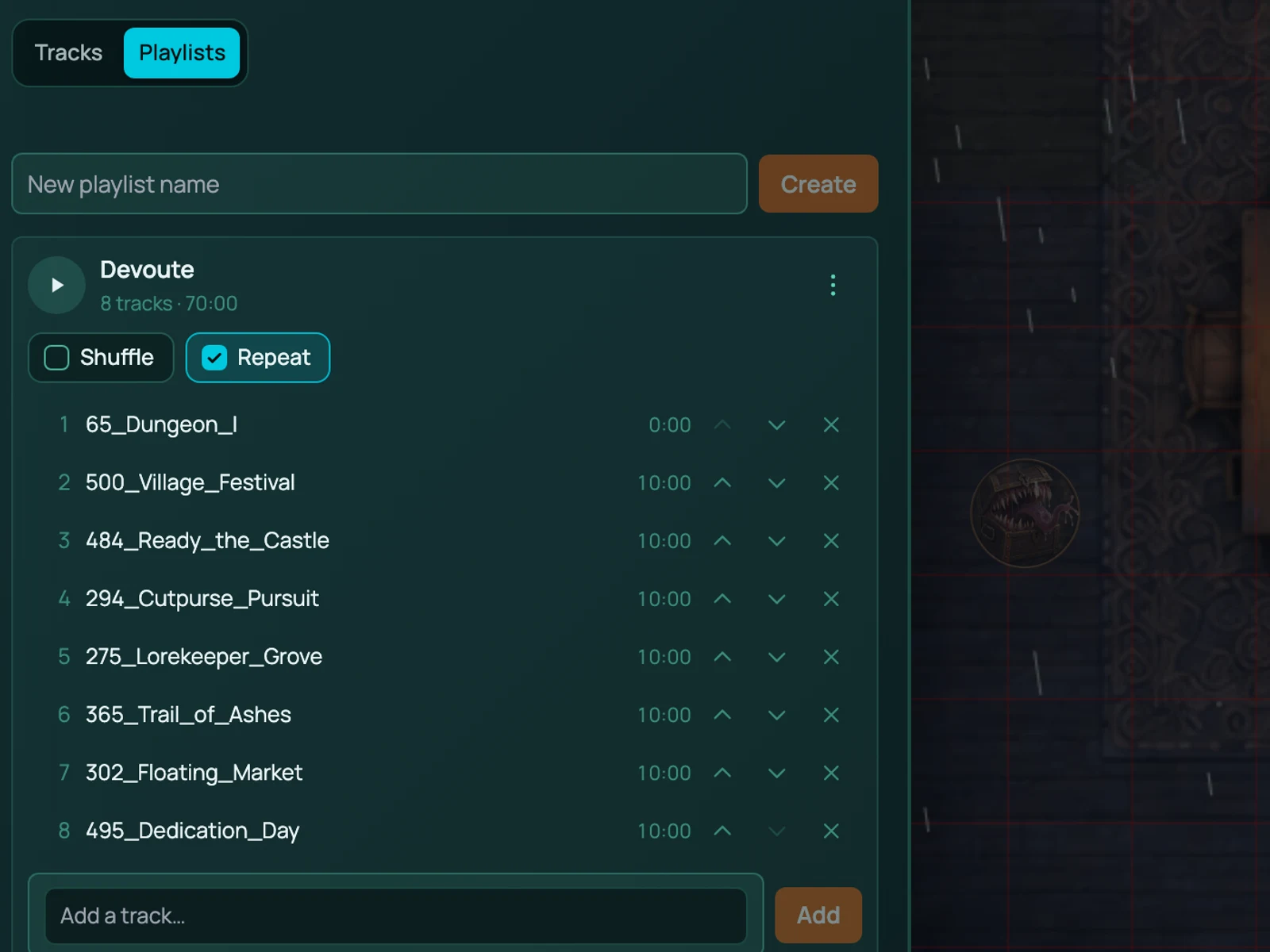
If your scene has battle music set, it starts when Battle Mode starts and stops when it ends. The players hear the fight begin. It's a small thing that gets a big reaction. Battle music is part of audio and available on every plan; playlists that swap between tracks are on Starter and Pro.
Works with
Character sheets feed HP, AC, initiative bonus and attack rolls into the tracker.
3D dice roll initiative and attacks on the board, in front of everyone.
Fog of war keeps running in combat, so enemies round the corner stay hidden until someone looks.
Frequently asked questions
Is the combat tracker free?
Yes. Battle Mode, the initiative tracker, conditions and the Enemies panel are all on the Free plan.
Does it roll initiative automatically?
It can. Press Battle and initiative rolls for everyone using the bonus on their sheet. You can also roll by hand or type a value in.
Can I hide enemy HP from players?
Yes. For each token the GM chooses whether players see exact HP, a health bar, or nothing.
Does it work with the 2024 rules?
Yes. Conditions and initiative follow whichever rules pack the game uses, 5e or 5.5e.
Can I run combat on a TV with players in the room?
Yes. Plenty of groups use RollQuest as a digital battle map for in-person play, with the GM's laptop driving a TV on the table.