3D dice everyone sees land
FreeA dice roll should be a moment. In RollQuest the dice tumble across the board in 3D, on every screen at the same time, and the number that comes up is the number everyone saw. Click a skill on your sheet and the d20 is already in the air.
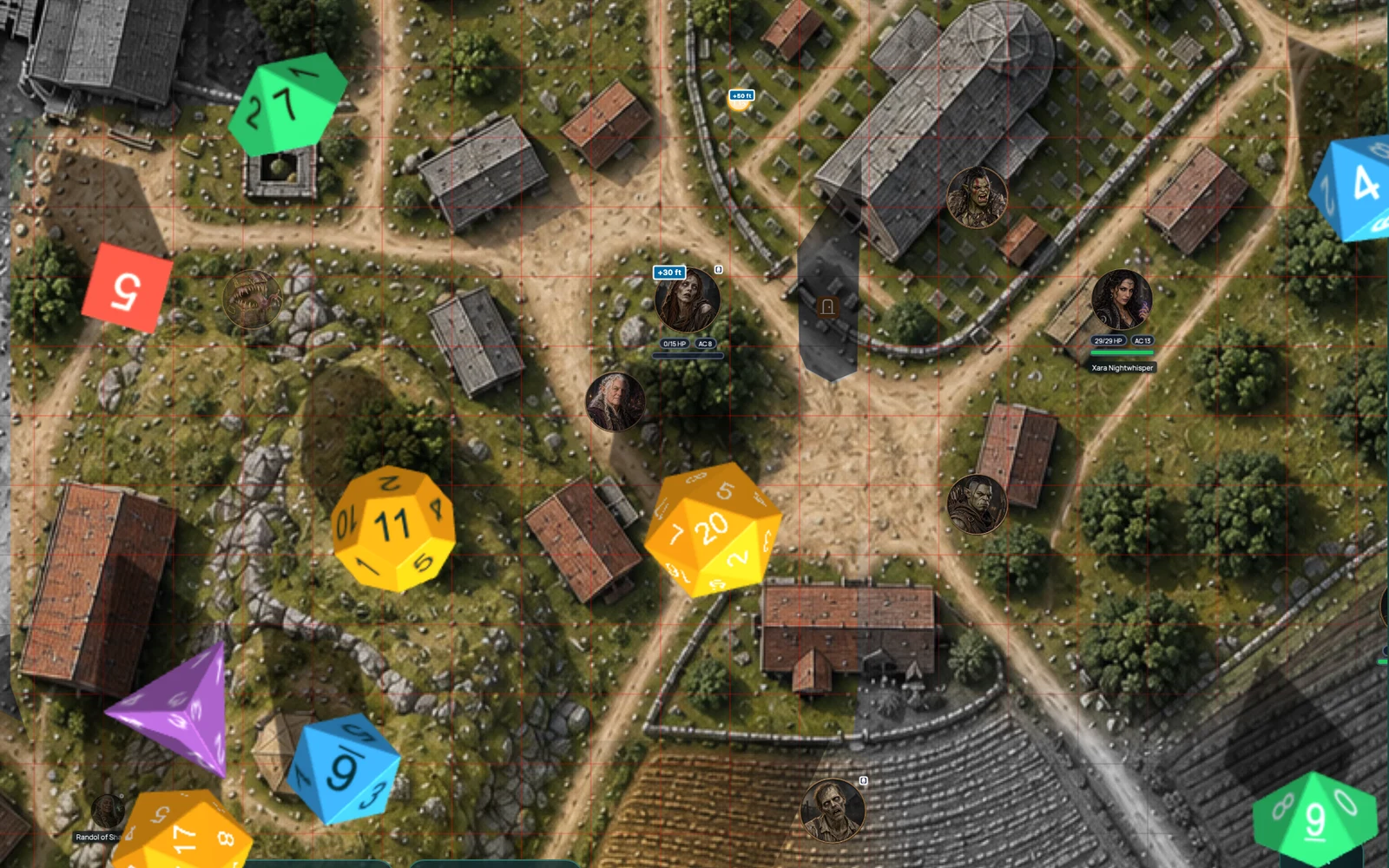
A 3D dice roller built into the table
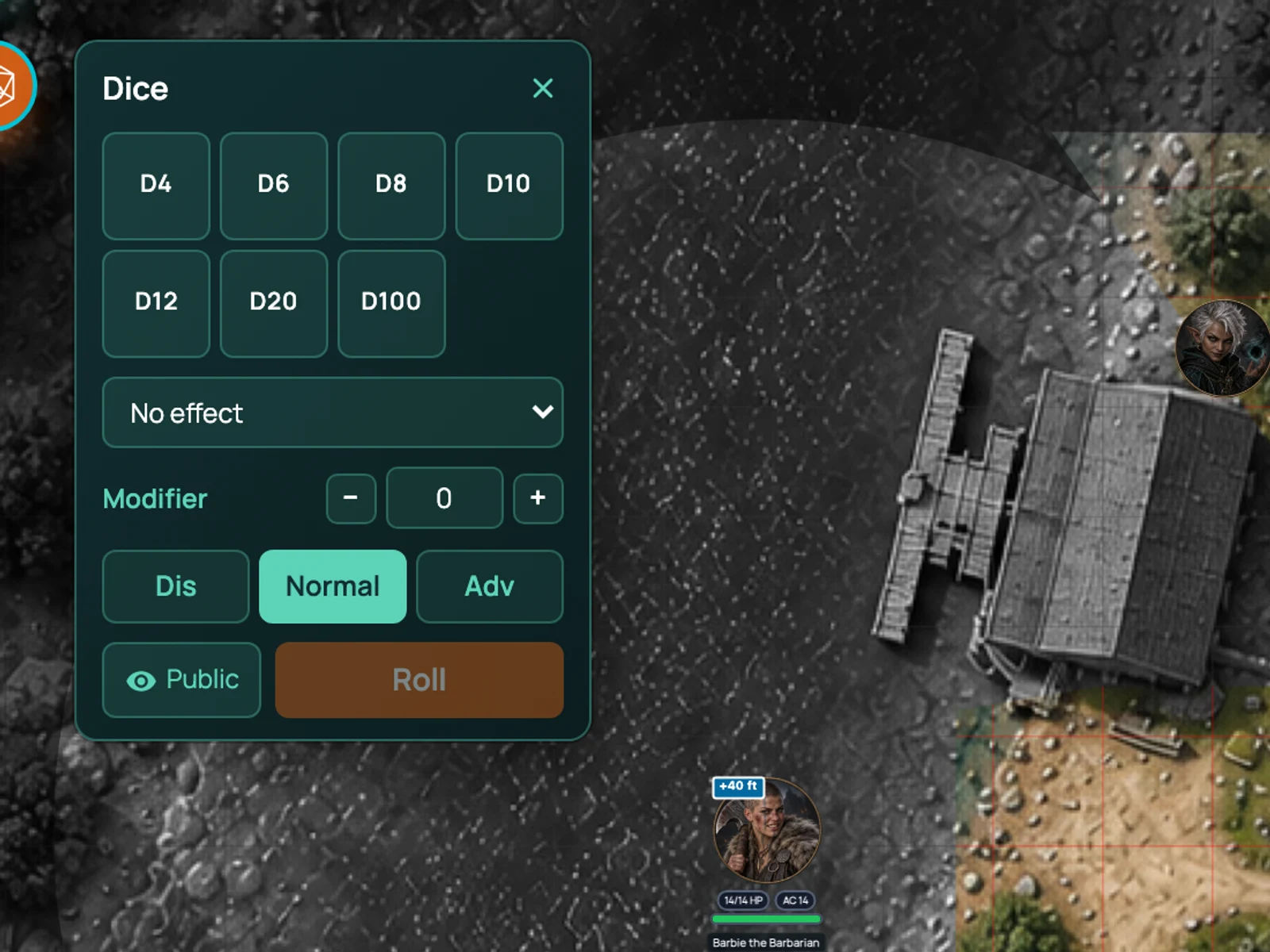
You can roll from three places. From the character sheet, where every skill, save, attack and spell is clickable and adds its modifier for you. From the dice tray, where you pick up whatever combination you need (2d6+3, 8d6 for the fireball, a d100 for the wild magic table). And from chat, by typing a formula.
Wherever the roll starts, it ends in the same place: the dice land on the board, the total and the breakdown appear in chat, and the GM sees the modifier that was applied.
How it works in RollQuest
Click. That's mostly it. Click Perception on the sheet and a d20 rolls with your Wisdom modifier and proficiency added. Click a longsword and it rolls to hit; click the damage and it rolls that. Advantage and disadvantage are a modifier key away.
The dice tray is for everything else. Pick dice, add a modifier, roll. Save common rolls so they're one click next time.
Whispers go to the GM only. Roll a Deception check the party shouldn't see and only the GM gets the result. The roll history in chat keeps every roll of the session, with who rolled what and when, so "I definitely rolled a 17" can be checked.
Crits, animations and celebrations
A natural 20 deserves more than a number. On Starter and Pro, dice effects add animations and celebrations for crits and fumbles: the board reacts, the dice glow, the table notices. It's a small thing that makes the table louder in a good way.
There are two halves to it. Roll animations dress the dice themselves - throw them with fire, frost or lightning, matched to the damage type you're rolling. Milestone effects are the reaction: confetti, glows and screen shakes on a natural 20, and something rather less celebratory on a natural 1. You choose which.
Worth knowing, because it isn't how the rest of the plans work: dice effects follow each player's own account, not the GM's. A player on Starter sees their own effects at a Free GM's table, and a Free player at your table won't see yours. It's the one place where a player's plan changes what that player sees.
Works with
Character sheets turn every stat into a roll with the right modifier already applied.
Battle mode rolls initiative for the whole encounter and sorts the tracker for you.
Cards can carry dice formulas, so playing a card rolls its dice.
Frequently asked questions
Are the 3D dice free?
Yes. Dice, the dice tray, sheet-linked rolls, whispers and roll history are all on the Free plan. Crit animations and celebrations are on Starter and Pro.
Does everyone see the same roll?
Yes. The roll is resolved once and the same result is shown on every player's board and in chat.
Can I roll in secret?
Yes. Whisper a roll to the GM and only the GM sees it. The GM can also roll hidden from players.
What dice are supported?
d4, d6, d8, d10, d12, d20 and d100, in any combination, with modifiers. Type a formula like 4d6kh3 in chat for anything unusual.
Can I use my own physical dice?
Of course. Type the result into chat if you want it in the log. Plenty of tables mix both.