Online 5e character sheets that do the maths
FreeA character sheet you play from, not one you fill in and then ignore. Build a D&D 5e or 5.5e character with the guided builder, or grab a pregen and be rolling in a minute. The sheet works out your modifiers, saves, HP, AC and spell slots, and every number on it is a button that rolls dice on the board.
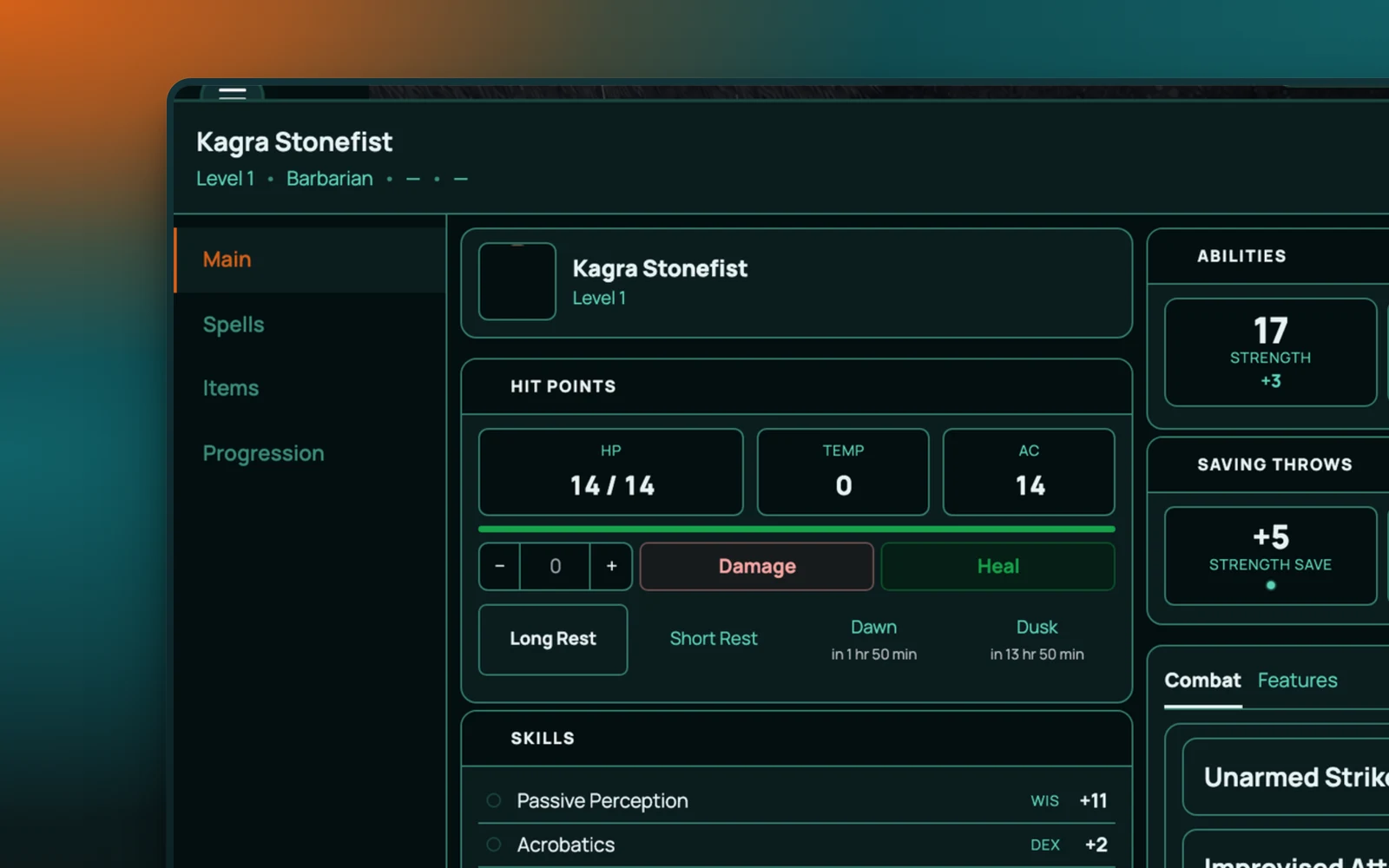
A 5e character sheet builder that lives in the game
Most online character builders sit on a website by themselves. You build a character there, then copy the numbers into whatever table you're playing at. RollQuest's builder is inside the VTT. Finish the last step and your character is already standing on the map.
The builder walks you through species, class, background and ability scores in order, with four ways to set scores: standard array, point buy, rolled, or type them in yourself. Pick a level from 1 to 20 and it fills in the class features and spell slots you'd have earned on the way up, so a level 7 character doesn't need seven rounds of levelling to exist.
The 5e pack is built on the SRD 5.1 (the 2014 rules) and the 5.5e pack on the SRD 5.2.1 (the 2024 rules). You choose which at game creation and the sheet follows.
How it works in RollQuest
You open the Character Sheets panel from the sidebar and click New. The builder asks for the basics first: name, species, class. Then ability scores, using whichever method your GM allows. Then background and starting equipment. When you're done, the sheet appears with everything calculated, and your token gets its HP and AC.
From there you play from the sheet. Click Stealth and a d20 rolls on the board with your modifier added. Click a weapon and it rolls to hit. Spell slots tick down as you cast. The GM sees everything; other players see what the GM lets them see.
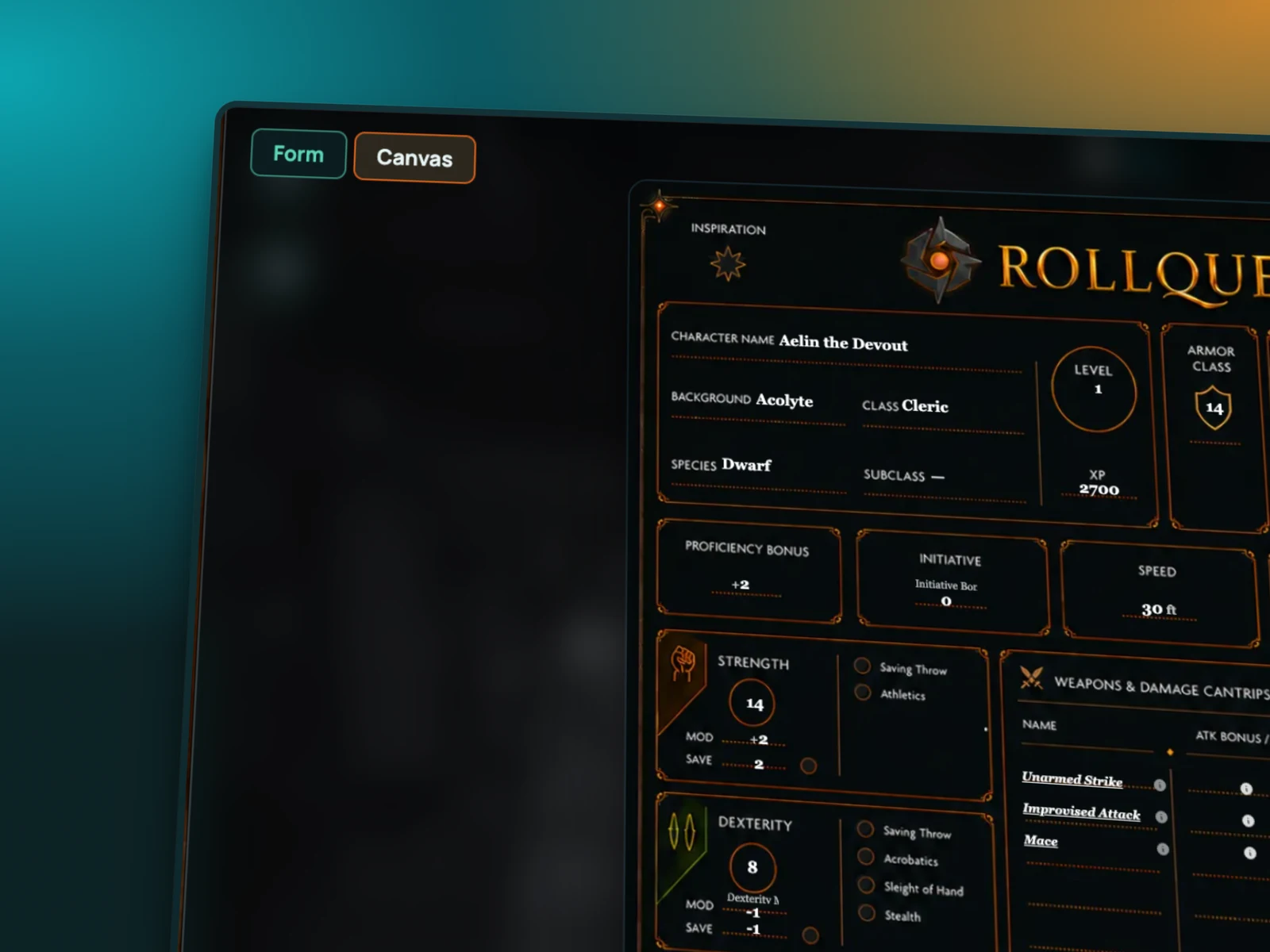
Pregens, if you'd rather skip the building
Not everyone wants to spend twenty minutes on point buy. RollQuest ships with pregenerated characters you can drop straight into a game. They're proper builds, not blank templates, so a new player can pick a fighter, rename it, and join the session without reading a class chapter first. GMs use them for NPCs too.
Your character comes with you
Sheets live on your account, not inside one campaign. Build a rogue once and bring her to your Tuesday game and your Sunday game, as long as both use the same rules pack. When a GM invites you, you pick from the sheets you already have or make a new one. Nothing gets rebuilt from scratch.
Free accounts get three sheets. Starter gets twenty, Pro fifty. See the plan comparison for the rest.
Designed View: your sheet, your artwork
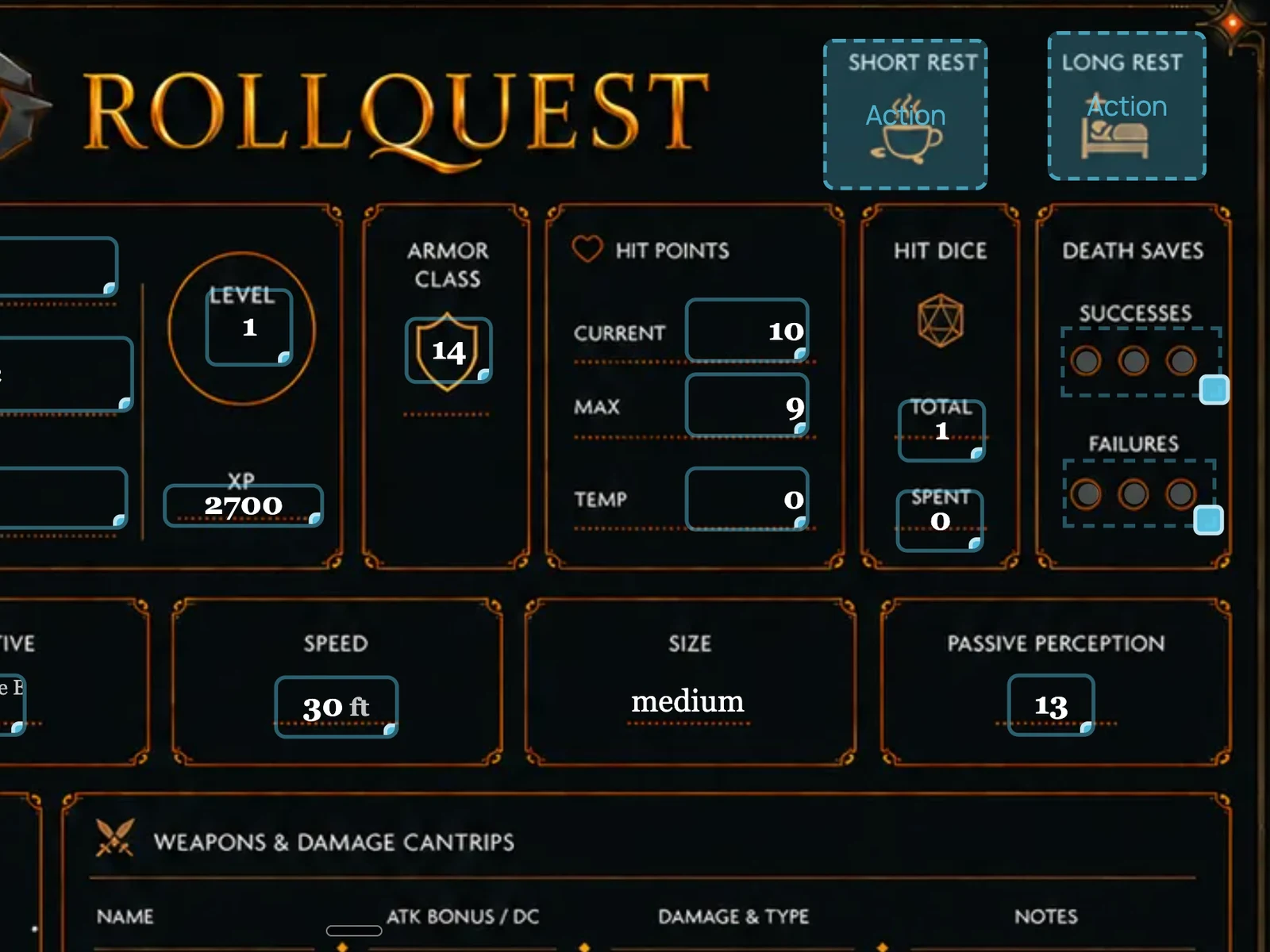
The default sheet is clean and fast. Designed View is for people who want more. You upload your own artwork (a painted portrait, a scanned page, a themed layout) and lay the interactive fields over the top of it. The maths still works. Cards from your deck can be placed onto the sheet, and you can draw on it directly. It's the difference between a form and a prop.
The sheet is a surface you can mark up, not just a form. There's a pen for drawing on it, a text tool with your choice of font, and clickable regions you can define and point at an asset. A sticker album lets you drop art onto the sheet (and into chat) - pin a condition, mark a wound, decorate the thing. Undo and redo cover all of it, so experimenting costs nothing.
Every plan gets Designed View. Building your own sheet templates from scratch, for other systems or house rules, is the sheet designer - blocks, layout and your own calculations.
Works with
3D dice roll from every clickable number on the sheet, and the result lands in chat with your modifier shown.
Battle mode reads HP, AC and initiative straight from the sheet, so combat starts without anyone typing numbers in.
Cards and decks can be placed on a Designed View sheet and played from there.
Frequently asked questions
Is the character sheet free?
Yes. The builder, pregens, Designed View and clickable rolls are all on the Free plan. Free accounts can hold three character sheets at a time.
Does it support the 2024 rules?
Yes. RollQuest has two rules packs: 5e (2014, built on the SRD 5.1) and 5.5e (2024, built on the SRD 5.2.1). The GM picks one when creating the game and the sheet uses those rules.
Can I bring a character from D&D Beyond or Roll20?
Not as a file import, at the moment. The builder is fast enough that most people rebuild in a few minutes, and starting at any level from 1 to 20 means you don't have to level up step by step.
Can I use one character in more than one game?
Yes. Sheets are stored on your account and can be brought into any game that uses a compatible rules pack.
Does it work on a phone?
The sheet works in a mobile browser, so players can keep it open on a phone while the map is on a screen.
Try it
Make a character in the free plan and roll something. No download, no card required.