A campaign journal in the same window as the map
StarterSession notes in one app, the map in another, the handout somewhere in your downloads folder. Most GMs run three windows at once. RollQuest's Campaign Journal puts the notes, the NPCs, the locations and the handouts inside the table, so revealing the letter from the duke is one click and it lands on every player's screen.
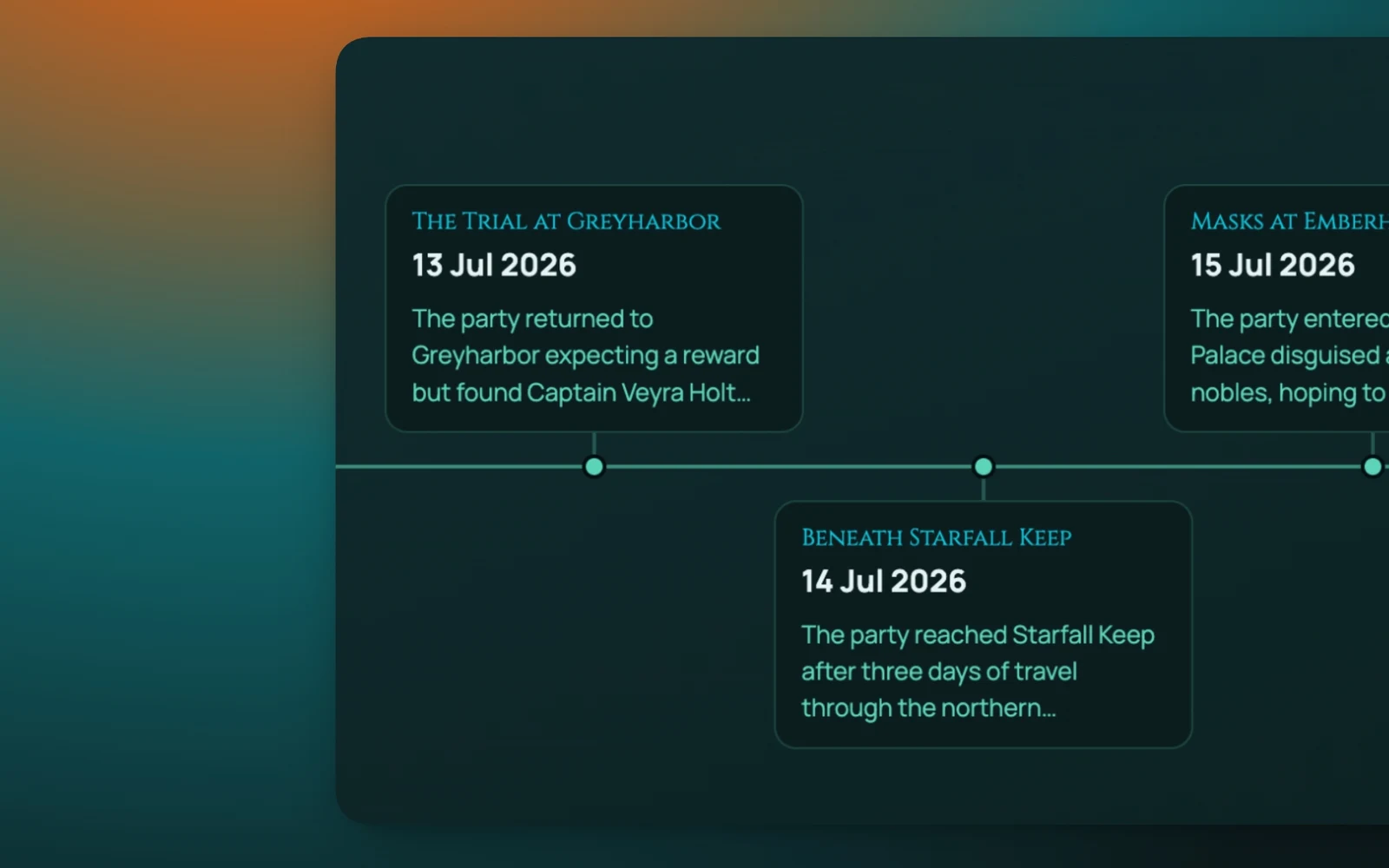
A campaign journal for D&D that players can see into
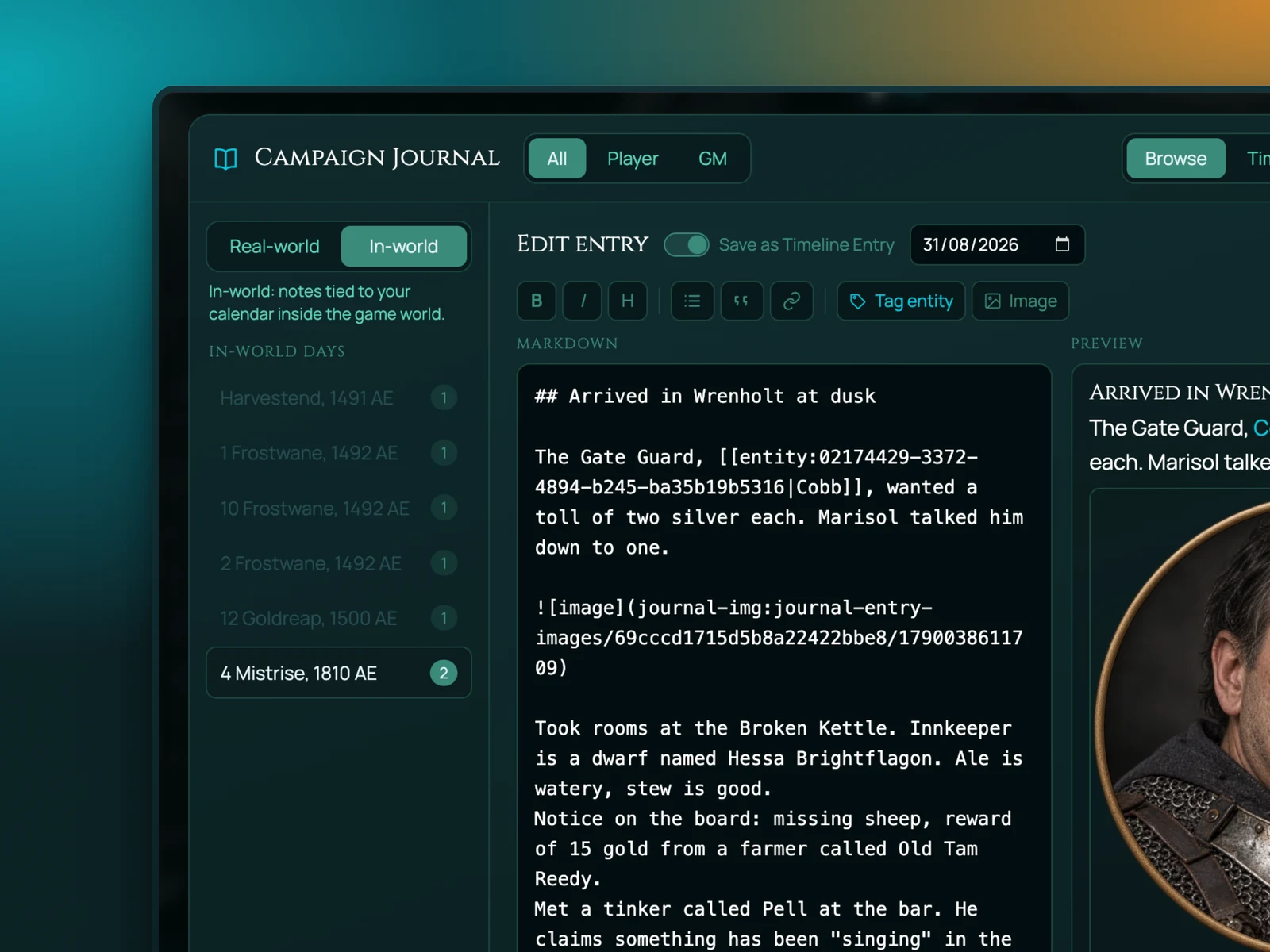
Entries are pages. A page can be a session log, an NPC with a portrait and a description, a location, a faction, a rumour table, a letter. Pages link to each other, so the tavern page mentions the barkeep and the barkeep page links back to the tavern. Over a campaign the journal turns into the wiki you never had time to build.
Every page has a visibility setting. GM only, or shared with the players. Share it and it appears in their journal. Take it back and it disappears. Some GMs write two versions of every NPC: the one the party has met, and the one they haven't yet.
How it works in RollQuest
Open the Journal panel. Make a page. Write in it the way you'd write anywhere, with headings, lists and images. Drop a portrait in for an NPC. Link the page to a token on the map so clicking the token opens the page.
During the session, keep the journal open beside the board. When the party finds the map fragment, open its page, hit Share, and the players have it. Handouts can be images, so a scanned letter or a painted map works as well as text.
After the session, write the log while it's fresh. The next time you prep, it's all there.
Rollable tables
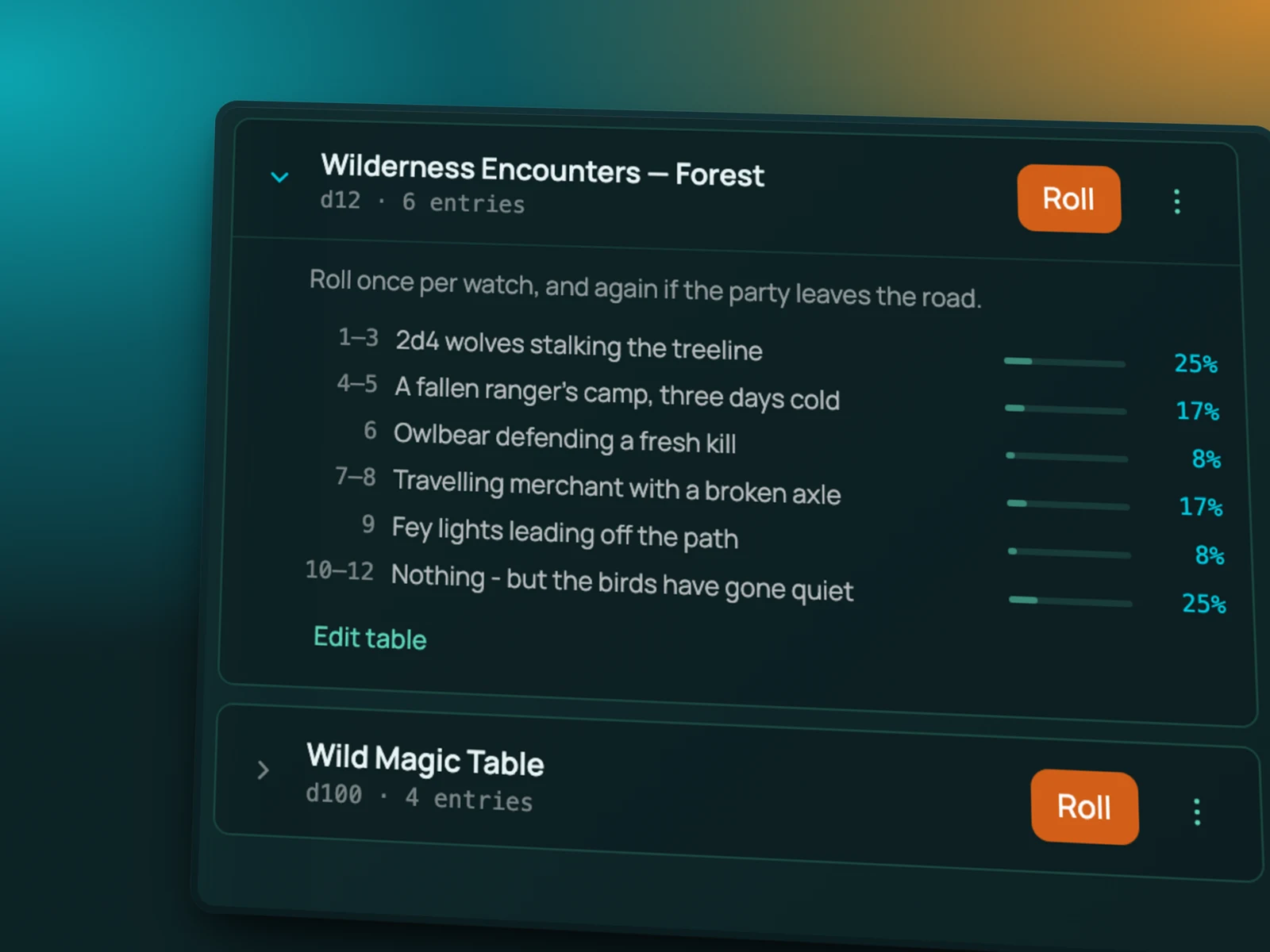
Loot tables, random encounters, tavern names, what the merchant has in stock today. Build a table in the journal, give each row a weight if you want, and roll on it. The result goes to chat. Players can roll on tables you share with them. This is part of the GM toolkit on Starter and Pro.
Works with
Game system templates carry the journal with them, so a saved campaign template arrives with its NPCs and lore intact.
Map builder markers can hold a note or link to a journal page, so the clue is pinned where it was found.
Battle mode opens an enemy's stat block from its journal page.
Frequently asked questions
Which plans include the campaign journal?
Starter and Pro. Free accounts can read journal pages a GM shares with them as players, but can't create a journal in their own games.
Can players write in the journal?
Players see what the GM shares. Player-written pages are on the roadmap.
Can I import notes from Notion, Obsidian or World Anvil?
Paste them in. There's no direct importer yet. Images and text paste cleanly.
Do journal pages come with a campaign template?
Yes. Save a campaign as a template and its journal comes along, so a content pack can ship with its lore and handouts.
Can I attach a page to a token?
Yes. Link any page to a token and clicking the token opens it.
Try it
Journal is on Starter and Pro. See pricing, or start on the free plan and upgrade when you're ready to prep.