

Creatures
Put your own monsters in a game's creature library by writing them as creature rows in a homebrew pack.
A creature row is a monster's stat block written as data: its name, its numbers (hit points, armour class, abilities, saving throws, resistances), the conditions it can't suffer, its senses, and its traits and actions as text. A pack of them puts a set of monsters in the creature library of every game you run as the Game Master (GM) on that system, ready to add as enemies, and you can edit and reuse them like any homebrew. For a single villain, the Stat Blocks window's New creature form is quicker and needs no pack: see Enemies and the creature library.
Plan: homebrew is on Pro, with up to 20 homebrew packs.
A creature row or New creature?
Both give you a stat block a token can use. They suit different jobs.
| A creature row in a pack | New creature in the Stat Blocks window | |
|---|---|---|
| Where it lives | Your homebrew pack | One game |
| Which games see it | Every game you run on the system the pack builds on | That game only |
| Abilities and saving throws | Yes | No boxes for them |
| Traits and actions | As text, grouped by section | No; Notes only |
| Senses, such as darkvision | Yes | No |
| Edited in | My Homebrew, as JSON | The window's form |
Neither rolls a creature's attacks for you: a stat block is for reading, and you roll its attacks yourself or with a macro.
A 5.5e creature
Here's a complete pack with one creature, the Ash Hound, for 5.5e games:
{
  "slug": "my-ash-hound",
  "name": "Ash Hound (homebrew creature)",
  "system": "5.5e Compatible",
  "derivedFrom": "5-5e-core",
  "category": "addon",
  "version": "1.0.0",
  "license": "USER_HOMEBREW",
  "source": "My table's homebrew.",
  "attribution": "",
  "description": "",
  "requiredDecisions": [],
  "items": [
    {
      "kind": "creature",
      "key": "MON_ASH_HOUND",
      "spec": {
        "name": "Ash Hound",
        "values": {
          "HP": 22,
          "HP_MAX": 22,
          "AC": 13,
          "STR": 14,
          "DEX": 15,
          "CON": 13,
          "INT": 3,
          "WIS": 12,
          "CHA": 6,
          "STR_SAVE": 2,
          "DEX_SAVE": 2,
          "CON_SAVE": 1,
          "INT_SAVE": -4,
          "WIS_SAVE": 1,
          "CHA_SAVE": -2
        },
        "conditionImmunities": [],
        "notes": "Senses: Darkvision 60 ft. Speed 40 ft.",
        "printedActions": [
          {
            "section": "Actions",
            "name": "Bite",
            "text": "Melee Attack Roll: +4, reach 5 ft. Hit: 7 (2d4 + 2) Piercing damage plus 3 (1d6) Fire damage."
          }
        ],
        "meta": {
          "size": "Medium",
          "creatureType": "Monstrosity",
          "cr": "1/2",
          "xp": 100
        }
      }
    }
  ]
}
The pack's top lines work as in any pack (see The pack file, field by field). Two matter most for creatures:
derivedFromdecides which games see the creature:5-5e-corefor 5.5e games,5e-corefor 5e (2014) games,ashfall-corefor Ashfall games, and so on for each system. It must name the system's core pack itself: a creature in a pack that builds on another system, or on another of your own packs, is never offered.systemnames the same system:5.5e Compatibleor5e Compatible.
The creature row, field by field:
| Field | What it does |
|---|---|
kind |
creature. |
key |
The row's ID in your pack, such as MON_ASH_HOUND. Never change it once a token uses the creature. |
spec.name |
The name in the library and on the stat block. Required: it's what you pick the creature by. |
spec.values |
Every number, each a plain number (not "13" in quotes). The names are the system's: HP and HP_MAX for hit points, AC for armour class, STR to CHA for the six ability scores, and STR_SAVE to CHA_SAVE for the saving throw bonuses. Leave a number out and the creature doesn't have it. |
spec.conditionImmunities |
The conditions that can never be put on it, by the system's IDs. Empty here. |
spec.notes |
Anything RollQuest can't use, for you to read and rule on: speed, languages, skills. |
spec.printedActions |
Its traits and actions as text. Each has a section (such as Traits, Actions, Bonus Actions, Reactions or Legendary Actions), a name and the text. Nothing here rolls. |
spec.meta.cr |
The challenge rating, as text so that "1/2" stays a half. It's the CR tag in the library and what the CR range filters by. |
spec.meta.size, creatureType, xp |
Kept with the row for your own reference. RollQuest doesn't show them. |
Resistances, immunities and senses
The same hound, now immune to fire, vulnerable to cold, never frightened, and with darkvision:
    {
      "kind": "creature",
      "key": "MON_ASH_HOUND",
      "spec": {
        "name": "Ash Hound",
        "values": {
          "HP": 22,
          "HP_MAX": 22,
          "AC": 13,
          "STR": 14,
          "DEX": 15,
          "CON": 13,
          "INT": 3,
          "WIS": 12,
          "CHA": 6,
          "STR_SAVE": 2,
          "DEX_SAVE": 2,
          "CON_SAVE": 1,
          "INT_SAVE": -4,
          "WIS_SAVE": 1,
          "CHA_SAVE": -2,
          "RESIST_FIRE": 2,
          "RESIST_COLD": -1
        },
        "conditionImmunities": ["frightened"],
        "effects": [
          { "id": "MON_ASH_HOUND_DARKVISION", "target": "SENSE_DARKVISION", "op": "setMin", "value": 60, "condition": "", "trigger": "" }
        ],
        "notes": "Senses: Darkvision 60 ft. Speed 40 ft.",
        "printedActions": [
          {
            "section": "Actions",
            "name": "Bite",
            "text": "Melee Attack Roll: +4, reach 5 ft. Hit: 7 (2d4 + 2) Piercing damage plus 3 (1d6) Fire damage."
          }
        ],
        "meta": {
          "size": "Medium",
          "creatureType": "Monstrosity",
          "cr": "1/2",
          "xp": 100
        }
      }
    }
Resistances are numbers in values, one per damage type, named RESIST_ and the type: RESIST_FIRE, RESIST_COLD, RESIST_SLASHING and so on, for each of the 13 damage types in 5e and 5.5e. The number says how much of that damage gets through:
| Number | Means | Damage taken |
|---|---|---|
-1 |
Vulnerable | Double |
1 |
Resistant | Half |
2 |
Immune | None |
Leave a type out for normal damage. RollQuest applies these when you use Apply Damage on the creature's token (see Damage and healing).
Condition immunities list conditions by the system's lower-case IDs, such as blinded, charmed, deafened, exhaustion, frightened, grappled, incapacitated, invisible, paralyzed, petrified, poisoned, prone, restrained, stunned and unconscious. RollQuest won't put a listed condition on the creature, from the token's menu or from a spell. It only knows the system's own conditions: one you added to a game yourself can't be listed. The check doesn't look at these IDs, so a misspelt one blocks nothing; check them against your system's list.
Senses are effects, as they are on a species: "target": "SENSE_DARKVISION", "op": "setMin", "value": 60 gives darkvision to 60 ft. The other senses are SENSE_BLINDSIGHT, SENSE_TREMORSENSE and SENSE_TRUESIGHT. When a token takes the creature's stat block, it gets these senses, and they show in its vision as Default rows (see Token vision; senses only work with Dynamic fog). Keep notes in step so the stat block's text agrees.
Add your creatures to a game
- Create the pack in My Homebrew: + New homebrew, choose 5.5e Compatible, then I already have the JSON and Continue; paste the pack, click Check this pack, then Create pack. See Your first homebrew pack, step by step for the whole loop.
- Open a 5.5e game you run. There's nothing to bind: a creature row reaches the library through the pack's
derivedFrom, not through binding. - Open the menu (three lines, top left), click Enemies, then + Add. The Add New Enemy window opens.
- Choose From the library and search for
ash hound. It's listed with its CR tag and the pack's name, Ash Hound (homebrew creature). - Click it, then Create. The token appears with the creature's stat block: 22 hit points and armour class 13.
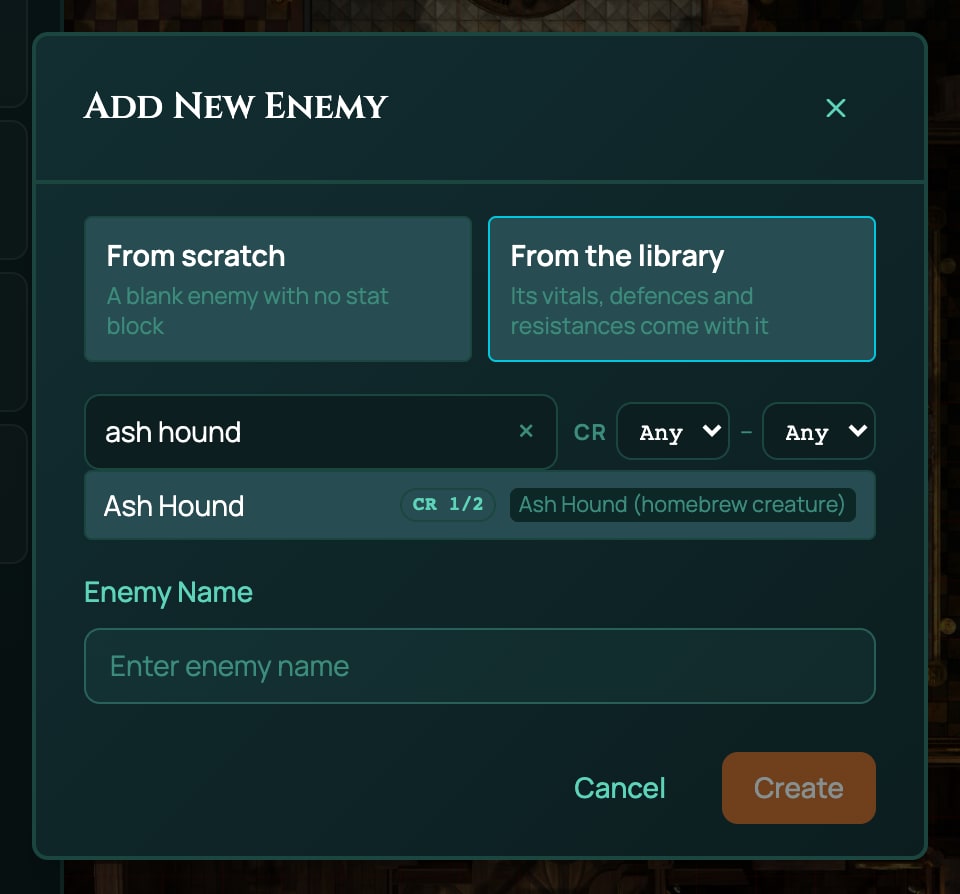
To give an existing token the creature's stat block, right-click it and choose Stat block. Your pack's creatures are under From content, next to RollQuest's own; click Use. You can read them there, but Edit only appears on creatures written in the window itself: change a pack creature in My Homebrew.
If you bind the pack to a game and then turn it off there (Turn off for this table in My Homebrew), its creatures are hidden in that game. Binding isn't needed otherwise: binding offers a pack's items to character sheets, and a creature is never on a sheet.
What each number does on a token
When a token uses the creature, through Create in Add New Enemy or Use in Stat Blocks:
- Hit points and armour class are copied onto the token through the system's vitals: in 5e and 5.5e,
HPandHP_MAXbecome its hit points andACits armour class. Turn them on for the board in the token's Edit Enemy window (see Enemies and the creature library). - Ability scores and saving throws show on the stat block. When a spell asks the creature for a saving throw, its
_SAVEbonus is the one used, and you, the GM, roll it. - Resistances and condition immunities apply as above.
- Senses go onto the token.
- Notes and actions are text on the stat block, under Notes and the sections you named.
Several tokens can share one creature: each keeps its own hit points.
When the check finds a problem
The check refuses a creature row that would go wrong on the board:
| Slip | Code | Fix |
|---|---|---|
No name |
CREATURE_SPEC_INVALID | Give the creature a name. |
A number in quotes, such as "AC": "13" |
CREATURE_SPEC_INVALID | Write it as a plain number: "AC": 13. A number RollQuest can't read would be dropped, and a dropped resistance means normal damage. |
A misspelt sense, such as SENSE_DARKVISON |
EFFECT_TARGET_UNRESOLVED | Spell it as the system does: SENSE_DARKVISION. |
Every code is in When a pack is refused.
Change or remove a creature
- Change one: in the pack's row, click Edit, change the creature in Everything else, as JSON, click Check this change and Save changes. The library reads creatures from your pack as it is now, so the next time it loads it lists the new version. There's no revision to move a table to.
- Remove one: delete its row from
itemsand add its key to the pack'sretiredlist, such as"retired": ["MON_ASH_HOUND"]. A key can't disappear from a pack without being listed there. See The pack file, field by field. - Withdraw them all: retire the pack (see Retire a pack). A retired pack's creatures are no longer offered in the library.
Creatures for Ashfall and other systems
Ashfall has a bestiary of its own: 15 creatures, from the Ash-hound to the Grey Choir, listed in From the library in any Ashfall game, and 8 Dread horrors, each a Sanity test for everyone who sees the creature. Any GM fires a horror from a sheet: add it with + From pack at the top of the sheet, then use its Target button. Brightline (d20 heroes) has its own villains too. See The bestiary in Build on Ashfall.
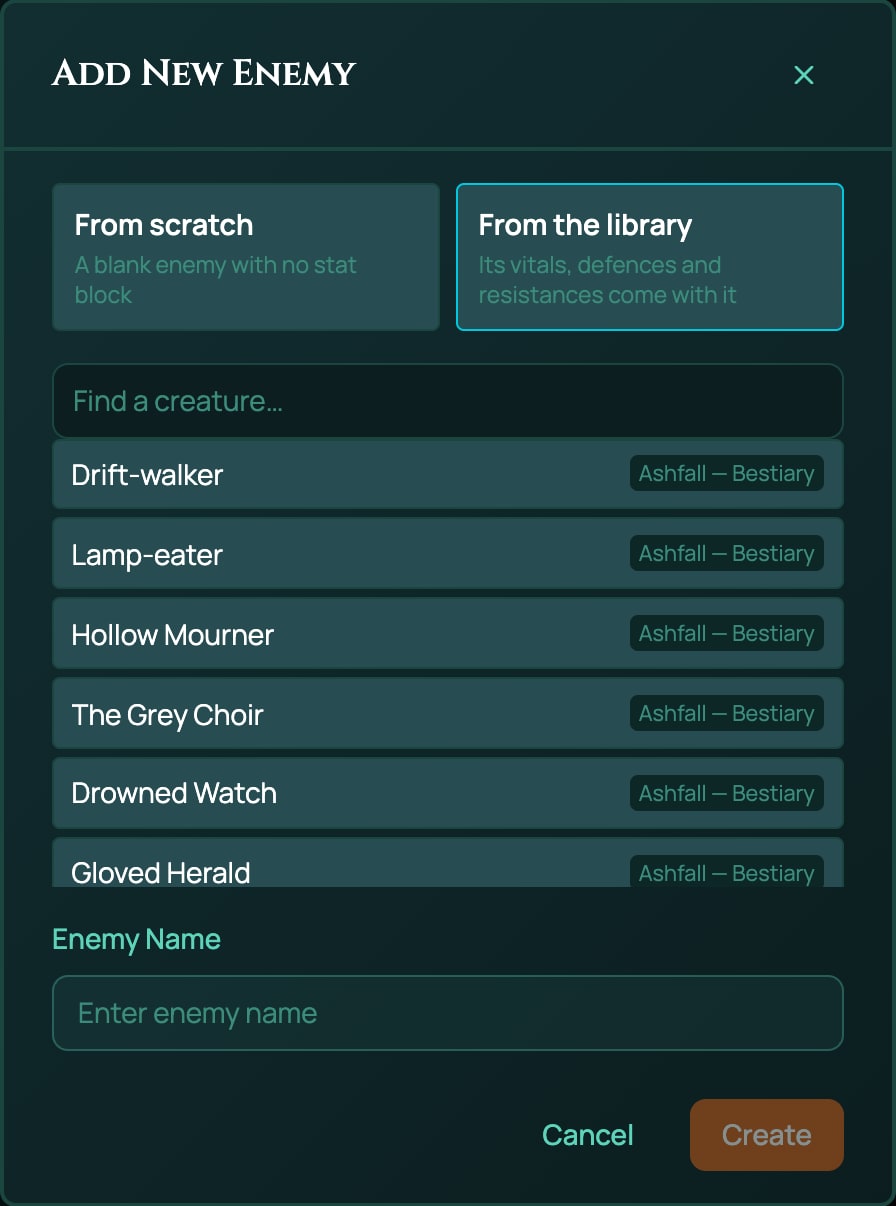
To add your own, write a creature pack the same way, with ashfall-core as derivedFrom and Ashfall's own value names. This one is modelled on Ashfall's Ash-hound:
{
  "slug": "my-soot-rats",
  "name": "Soot Rats (homebrew creature)",
  "system": "Ashfall (d100)",
  "derivedFrom": "ashfall-core",
  "category": "addon",
  "version": "1.0.0",
  "license": "USER_HOMEBREW",
  "source": "My table's homebrew.",
  "attribution": "",
  "description": "",
  "requiredDecisions": [],
  "items": [
    {
      "kind": "creature",
      "key": "MY_SOOT_RAT",
      "spec": {
        "name": "Soot Rat",
        "values": {
          "BRAWN": 15,
          "VIGOUR": 35,
          "FRAME": 15,
          "REFLEX": 75,
          "PRESENCE": 10,
          "WITS": 35,
          "RESOLVE": 30,
          "LEARNING": 0,
          "WOUNDS": 0,
          "WOUNDS_MAX": 5,
          "ARMOUR": 0,
          "DODGE": 50,
          "MELEE": 40,
          "INIT": 7
        },
        "conditionImmunities": ["shaken"],
        "notes": "Beast. Rats that nest in warm ash and come out grey.",
        "printedActions": [
          {
            "section": "Traits",
            "name": "Swarm",
            "text": "+10 to Melee for each other rat on the same target."
          },
          {
            "section": "Actions",
            "name": "Bite",
            "text": "Melee 40%: 1d3 rending."
          }
        ]
      }
    }
  ]
}
- The eight characteristics,
BRAWN,VIGOUR,FRAME,REFLEX,PRESENCE,WITS,RESOLVEandLEARNING, as numbers up to 100. WOUNDSandWOUNDS_MAX: Ashfall's wounds count up as the creature is hurt, soWOUNDSstarts at0, andWOUNDS_MAXis how many it can take. They become the token's Wounds meter.ARMOURis taken off each hit.- The skills it uses, such as
DODGEandMELEE, as its percentage chance, andINIT, its initiative. conditionImmunitiesuses Ashfall's condition IDs:broken,grievous,dying,unconscious,shakenandhaunted.
For a single Ashfall enemy, New creature in the Stat Blocks window is quicker: its Vitals offers Wounds, Sanity, Corruption and Armour, and Cannot be offers Ashfall's conditions, such as Broken and Shaken. See Enemies and the creature library.
A game with no game system, such as one created with None (generic HP) where no character sheet brings a system, has no creature library, so a creature row can't reach it.
Related
Enemies and the creature library · Damage and healing · Conditions · Homebrew: what you can build · The pack file, field by field · When a pack is refused